If you want to create AI images but don’t want to subscribe to several different image generators, Imagine.art takes an interesting approach. Instead of focusing on a single image model, the platform brings multiple AI models and creative tools together in one place.
You can use different models for photorealistic images, artistic visuals, text-heavy designs, logos, character work, and other creative projects. Imagine.art also includes editing, image upscaling, reference-image generation, and workflow tools.
But having many models in one platform doesn’t automatically make it the right choice for everyone.
In this Imagine.art review, we’ll look at its main features, how it works, pricing, advantages and limitations, who it’s best suited for, and how it compares with Leonardo AI.
What Is Imagine.art?
Imagine.art, also known as ImagineArt, is an AI creative platform for generating and editing images and videos from text prompts and reference images.
One of its main differences from many AI image generators is its multi-model approach. Instead of using only one image-generation model, Imagine.art provides access to models from different providers through the same platform. Its current image-generation offering includes models such as Midjourney V7, GPT Image, Flux, Nano Banana, Seedream, Recraft, and its own ImagineArt models.
This means you can choose a model based on the type of image you’re trying to create rather than using the same model for every project.
For someone who regularly experiments with different AI image styles, that can be useful.
Imagine.art Features
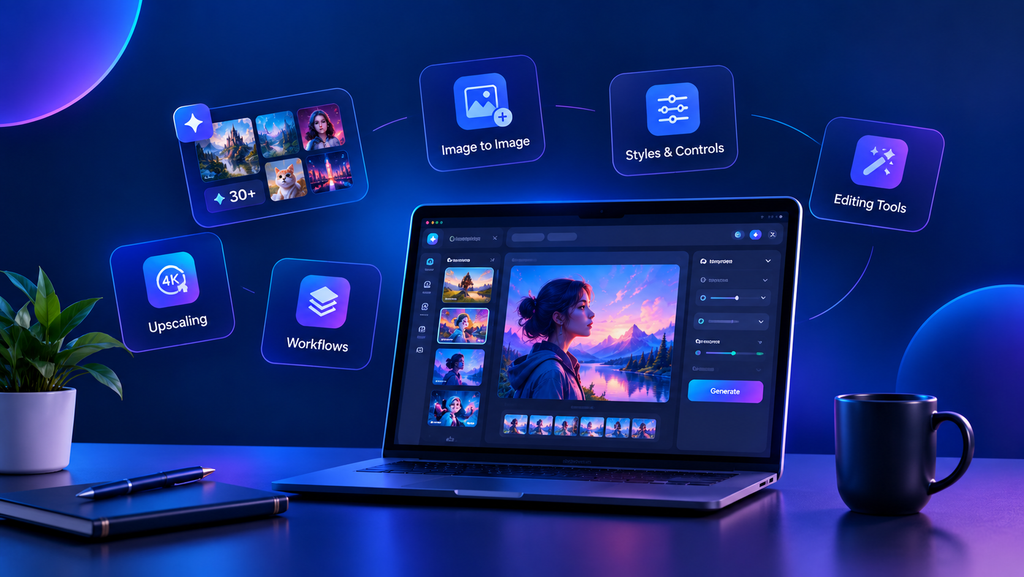
Multiple AI Models in One Platform
The biggest feature of Imagine.art is its model selection.
Different models can be useful for different types of work. For example, Imagine.art’s own models are positioned for photorealistic images, while Midjourney is aimed more toward distinctive artistic styles. Other models are designed for areas such as readable text, logos, product visuals, or reference-based editing.
Having these options in one dashboard means you don’t necessarily need to move between several websites just to compare different outputs.
Image-to-Image Generation
Imagine.art lets you upload a reference image and use it to guide a new generation.
A reference can help with pose, composition, colors, structure, or overall visual direction. This can be particularly useful when a text prompt alone doesn’t give you enough control over the result.
Styles and Creative Controls
The platform provides different styles, aspect ratios, models, and other generation controls.
Instead of simply entering a prompt and accepting the first result, you can adjust the setup according to the type of image you want to create.
For example, a product image for a business website may need a different approach from an illustration for a social media post.
Prompt Enhancer
Not everyone knows how to write detailed AI image prompts.
Imagine.art includes a prompt-enhancement feature that can help expand or improve a basic prompt before generating the image. This can be useful for beginners who know what they want visually but aren’t sure how to describe it clearly.
You can still write your own detailed prompt when you want more control.
Character and Style Consistency
Consistency becomes important when you’re creating several images for the same character, product, or brand.
Imagine.art provides tools designed to help maintain a more consistent appearance across generations. This can be useful for content series, character projects, marketing material, and other repeated visual work.
Results can still vary depending on the model, references, and settings, so consistency shouldn’t be treated as identical output every time.
AI Upscaling
Imagine.art also includes an AI upscaling tool that can increase image resolution and add detail.
The platform currently advertises upscaling to 4K, which can be useful when an AI-generated image needs to be used in larger formats or prepared for print.
Image Editing Tools
Imagine.art goes beyond simple text-to-image generation.
Its toolset includes features such as inpainting, image editing, background changes, and other ways to modify generated visuals. The platform also offers tools such as Magic Text and additional creative workflows.
This makes the platform more useful when you need to create an image and then make several changes without moving to another application.
AI Workflows
For users working on repeatable projects, Imagine.art also provides workflow features.
Its workflow system can connect different generation and editing steps in a single process. Imagine. art describes these workflows as useful for areas such as advertising, branding, product imagery, photography, character work, and other creative projects.
This feature is more relevant to frequent creators than someone who only generates an occasional image.
How to Use Imagine.art
Using Imagine.art is fairly straightforward.
1. Enter a Prompt or Upload an Image
Start with a text description of the image you want to create. You can also upload a reference image when you need additional visual guidance.
2. Choose a Model and Adjust Settings
Select the AI model that fits your project, then choose options such as aspect ratio, style, and quality settings.
Model selection matters because different models can produce noticeably different results from the same basic idea.
3. Generate and Refine the Image
Generate the image and review the result.
If it isn’t what you expected, you can adjust the prompt, try another model, use a reference image, or continue editing the result with Imagine.art’s other tools.
This trial-and-adjust process is often more useful than expecting one prompt to produce the perfect image immediately.
Imagine.art Pricing
Imagine.art uses a credit-based system for many of its image and video tools. Its official documentation says unused monthly credits generally expire at the end of the billing period, while additional credits can be purchased separately if needed.
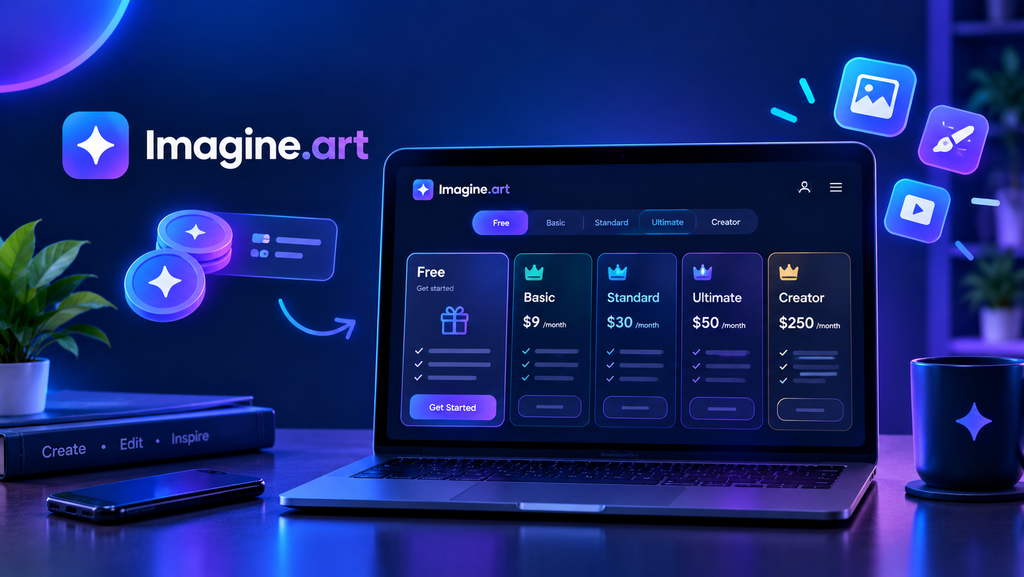
The platform offers a free way to get started, while paid plans provide more credits, additional models and features, faster generation, and higher usage limits.
The official documentation currently lists these monthly paid plans:
- Basic: $9/month
- Standard: $30/month
- Ultimate: $50/month
- Creator: $250/month
The exact credits, model access, generation limits, and other benefits vary by plan. Imagine.art also offers quarterly and yearly billing, and prices or promotions can change.
Because AI platforms frequently change their plans and promotional offers, check the official Imagine.art pricing page before purchasing.
See current Imagine.art pricing →
Who Is Imagine.art Best For?
Imagine.art can make sense for several types of users.
Content Creators and Marketers
If you regularly need social media graphics, promotional visuals, product images, or advertising creatives, having several image models and editing tools in one place can simplify the process.
Beginners
Beginners may benefit from the simple generation process and built-in prompt assistance. You don’t need to understand every technical detail of AI image generation before getting started.
Designers and Creative Professionals
Users who work across different visual styles may appreciate being able to switch between models instead of committing to one image generator.
Character and Concept Artists
Reference-image tools and consistency features can be useful for projects where characters or visual elements need to remain recognizable across multiple images.
Users Who Want Multiple AI Models
This is probably the clearest reason to consider Imagine.art.
If you frequently want to compare different image models, using one platform can be more convenient than maintaining separate subscriptions and accounts.
Imagine.art vs. Leonardo AI
Imagine.art and Leonardo AI have some overlap because both offer image generation, editing, creative tools, and additional features beyond simple text-to-image generation.
The main difference is their approach.
Imagine.art places a strong emphasis on bringing different AI models together in one platform. Its current offering includes models from several providers, allowing users to switch between them depending on the task.
Leonardo AI, meanwhile, has developed a broader creative environment around its own platform and workflows.
If you’re mainly interested in trying different AI image models from one dashboard, Imagine.art’s multi-model approach may be particularly relevant.
If you want to explore Leonardo AI’s specific creative workflow and tools, you can read our detailed Leonardo AI review
Imagine.art Alternatives.
Imagine.art isn’t the only option for AI image generation.
Depending on what you need, you could also consider tools such as Leonardo AI, Midjourney, Kittl, OpenArt, or other specialized AI image platforms.
The right alternative depends on your workflow.
For example, someone focused heavily on artistic image generation may prioritize a different platform from someone creating business graphics, logos, product visuals, or marketing content.
If you are comparing AI image generators, it’s usually more useful to compare the specific features you need rather than simply looking for a tool described as the “best.”
Imagine.art Pros and Cons
Pros
- Multiple AI image models available in one platform
- Reference-image generation
- Prompt enhancement for beginners
- Image editing and creative tools
- AI upscaling
- Character and style consistency features
- Workflow tools for repeatable creative projects
- Free access is available for users who want to try the platform.
Cons
- Credit usage can vary significantly depending on the model and task.
- Some advanced features and models are restricted by plan.
- Higher-volume users may need a paid subscription.
- Having many models can make the platform feel more complicated at first.
- Pricing, model availability, and promotions can change over time.
Frequently Asked Questions
Is Imagine.art free to use?
Yes. Imagine.art offers a free way to start creating AI images, although the free tier has usage and feature limitations. Paid plans provide higher limits and access to additional capabilities.
What is Imagine.art used for?
Imagine.art can be used for AI image generation, image editing, reference-based generation, creative design, upscaling, and other visual workflows. The platform also includes video and workflow tools.
Which AI models are available on Imagine.art?
The platform currently lists models including ImagineArt, Midjourney, GPT Image, Nano Banana, Flux, Seedream, Recraft, and others. Model availability can change as new AI models are added or removed.
Can I create images from a reference image?
Yes. You can upload a reference image and use it to guide elements such as composition, pose, colors, or visual style.
Can Imagine.art generate images with text?
Yes. Some of the models available through Imagine.art are designed to handle readable text and layouts more effectively than others. For text-heavy designs, choosing a model specifically suited to typography can make a difference.
Can Imagine.art upscale images?
Yes. Imagine.art provides an AI upscaling feature that can enhance generated images up to 4K according to its current product information.
Can I use Imagine.art images commercially?
Commercial usage depends on the applicable plan and terms. Before using generated images for client work, advertising, products, or other commercial purposes, check the current Imagine.art terms and the conditions attached to your specific plan.
Is Imagine.art good for beginners?
It can be. The basic generation process is straightforward, and features such as prompt enhancement can help beginners who are still learning how to write effective prompts.
However, the large number of available models may take some time to understand.
Is Imagine.art better than Leonardo AI?
There isn’t one answer for every user.
Imagine.art emphasizes access to multiple AI models in one platform, while Leonardo AI offers its own collection of creative generation and editing tools.
Your choice will depend on whether model variety or a particular creative workflow matters more to you.
Final Verdict: Is Imagine.art Worth Using in 2026?
Imagine.art’s main attraction is choice.
Instead of building your workflow around one AI image model, you can access different models from the same platform and choose between them depending on the project. It also adds useful features such as reference-image generation, editing, upscaling, prompt enhancement, and creative workflows.
That makes Imagine.art worth considering if you regularly create AI visuals and want access to different models without constantly switching between separate platforms.
For occasional users, the free option gives you a way to explore the platform before deciding whether you need a paid plan.
The main thing to keep in mind is that more models do not automatically mean better results. The quality you get still depends on the model, prompt, reference image, settings, and the type of visual you’re trying to create.
So rather than choosing Imagine.art simply because it offers many models, consider whether its multi-model workflow actually fits the way you create images.