
If you run a small business, sell products online, or create designs for social media, you probably know how quickly a simple design task can turn into a time-consuming project.
Imagine you have an old PNG logo for your small T-shirt business. The logo looks fine on your phone, but when you try to enlarge it for printing, the edges become blurry. You could hire a designer to recreate it as a vector file—or use a tool that can convert the image into an editable vector graphic.
This is one area where Kittl stands out.
Kittl is a browser-based design platform focused on typography, vector graphics, templates, AI-powered tools, and merchandise design. It is often compared with Canva, but the two platforms have different strengths.
In this Kittl review, we’ll look at whether Kittl is free, how much Kittl costs, what you get with the Pro plan, how the Kittl AI Vectorizer works, how to use Kittl, and whether it is a good choice for designers, marketers, small businesses, and print-on-demand sellers.
Disclosure: This article may contain affiliate links. If you make a purchase through one of our links, we may earn a commission at no additional cost to you.
Try Kittl Free →
What Is Kittl?
Kittl is an online graphic design platform built around typography, illustrations, vector graphics, templates, and AI-powered creative tools.
The platform originally launched as Heritage Designer in 2020 and later became Kittl in 2022. Since then, it has expanded beyond typography and vintage-style designs into a broader design platform.
Kittl can be useful for creating:
- Logos and brand graphics
- T-shirt and merchandise designs
- Social media graphics
- Posters and print materials
- Illustrations
- Typography-based designs
- Vector graphics
- Marketing visuals
One of Kittl’s biggest advantages is that it combines ready-made design resources with tools for users who want more control over typography and vector artwork.
For a small business owner, that can mean creating a promotional graphic or merchandise design without starting everything from a blank canvas.
Is Kittl Free?
Yes, Kittl has a free plan.
The free plan is useful if you want to explore the platform before paying for a subscription. You can create designs and test many of Kittl’s features without immediately committing to a paid plan.
However, the free plan comes with limitations.
For example, free exports are limited in resolution, and the free plan is intended for personal use rather than unrestricted commercial work. This distinction is particularly important for people creating designs for products they plan to sell.
The free plan also includes 200 AI tokens as a one-time allowance rather than 200 tokens every month.
Another important point is that Kittl’s AI Vectorizer is available on the free plan. Unlike several other AI features, the Vectorizer does not consume AI tokens.
So if your main reason for trying Kittl is to convert an existing PNG or JPG into a vector graphic, you can test that feature without needing a Pro subscription.
What Can You Do With the Free Plan?
The exact limits can change, but the free plan generally gives you access to:
- A limited number of projects
- Basic design tools
- Selected templates and assets
- Limited AI usage
- Low-resolution exports
- AI Vectorizer
- An opportunity to test the platform before upgrading
If you only need Kittl for occasional personal designs, the free plan may be enough.
If you’re creating designs for a business, selling merchandise, or needing high-resolution and vector exports, a paid plan becomes more relevant.
Kittl Pro Plan and Pricing
Kittl offers paid plans for users who need more projects, higher-quality exports, additional AI usage, and commercial licensing.
The Pro plan is particularly relevant to freelancers, designers, marketers, and small-business owners.
Kittl Free vs Pro
| Feature | Free | Pro |
|---|---|---|
| Projects | Limited | Unlimited |
| AI tokens | 200 one-time tokens | 2,000 monthly tokens |
| Storage | Limited | 10 GB |
| High-resolution export | Limited | Yes |
| SVG/PDF export | Limited | Yes |
| Commercial license | No | Yes, subject to plan terms |
| AI Vectorizer | Yes | Yes |
Kittl’s paid pricing can change over time, so it is worth checking the current pricing page before subscribing rather than relying on an old price quoted in an article.
See Current Kittl Pricing →
What Does the Kittl Pro Plan Include?
According to Kittl’s current Pro plan information, Pro users get features such as:
- Unlimited projects
- 2,000 AI tokens per month
- 10 GB storage
- High-resolution exports
- PNG and JPG exports up to 10,800 pixels at 300 DPI
- SVG and PDF exports
- Commercial licensing subject to Kittl’s terms
For someone selling T-shirts, creating client work, or producing marketing materials for a business, these additional capabilities can make the paid plan considerably more useful than the free version.
Does Kittl Have a Free Trial?
Kittl’s free plan effectively gives you a way to test the platform without being limited to a short trial period.
Instead of requiring you to start a paid subscription immediately, you can begin with the free plan and decide whether the platform fits your workflow.
That makes it easier to evaluate the editor, templates, AI features, and vector tools before spending money.
How to Use Kittl
Kittl is designed to be used directly in a web browser, so you don’t need to install traditional desktop design software.
Here’s a simple way to get started.
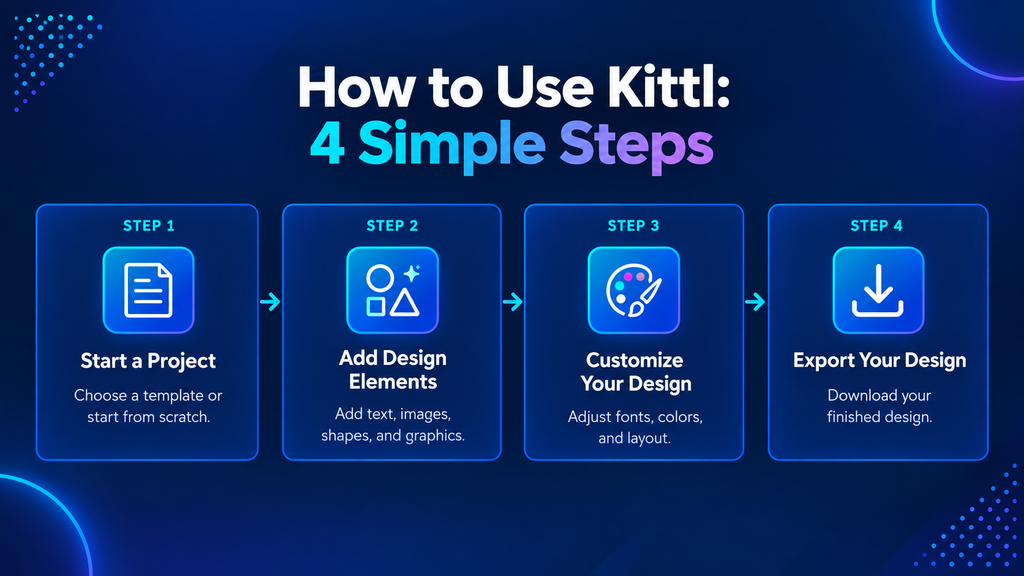
1. Start a New Project
After signing in to Kittl, you can begin with a template or create a blank project.
Templates can be useful when you need inspiration or want to save time.
For example, if you are creating a promotional Instagram graphic for a small business, starting with a suitable template can give you a basic layout that you can customize.
2. Add Your Design Elements
You can add and customize elements such as:
- Text
- Shapes
- Illustrations
- Images
- Graphics
- AI-generated content
Kittl is especially known for its typography controls, which can be useful when text is an important part of your design.
3. Customize the Design
Once you’ve added your elements, adjust the colors, fonts, spacing, positioning, and other design details.
This is where a template becomes your own design rather than simply being reused as-is.
4. Export Your Design
When the design is ready, choose the appropriate export format.
PNG or JPG can work well for digital graphics, while PDF and SVG are useful for many print and vector-related projects.
The export options available to you depend on your Kittl plan.
How to Use the Kittl AI Vectorizer
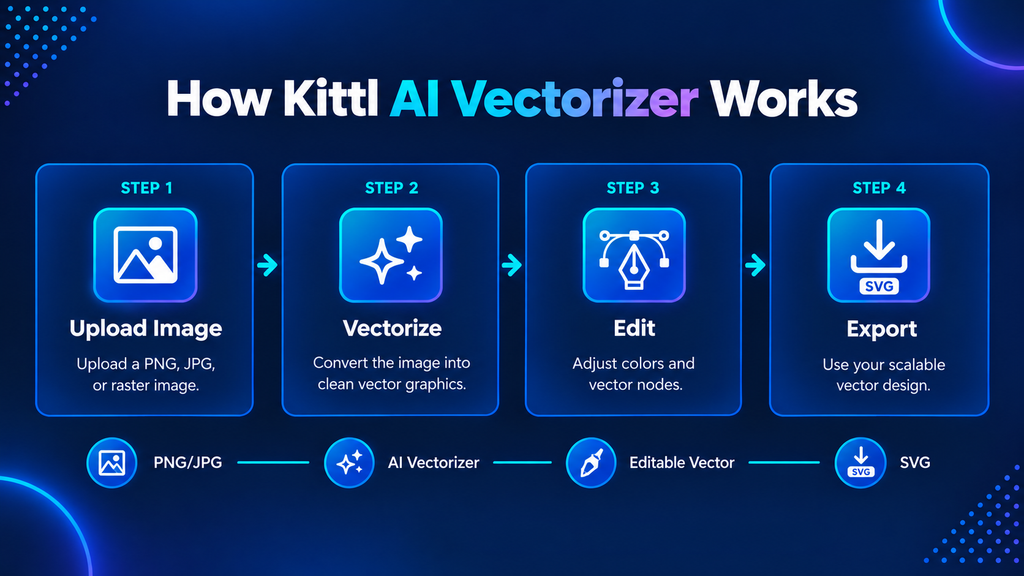
The Kittl AI Vectorizer is one of the platform’s most useful features for people who work with logos, illustrations, and merchandise graphics.
A raster image such as a PNG or JPG is made from pixels. When you enlarge it too much, it can become blurry.
A vector graphic works differently. It uses paths and shapes, which means it can be scaled to different sizes without losing the same type of sharpness.
Kittl’s Vectorizer can convert an existing raster image into an editable vector graphic.
A Simple Real-World Example
Suppose you have a small PNG logo for a handmade clothing brand.
You want to print that logo on a large T-shirt, but the original image is too small and becomes blurry when enlarged.
Instead of manually tracing the logo from scratch, you can upload the image to Kittl and use the Vectorizer.
After vectorization, you can adjust the resulting colors and nodes and continue editing the graphic.
This doesn’t mean every image will convert perfectly. Complex photographs, gradients, shadows, and highly detailed images can produce different results from simple logos or illustrations.
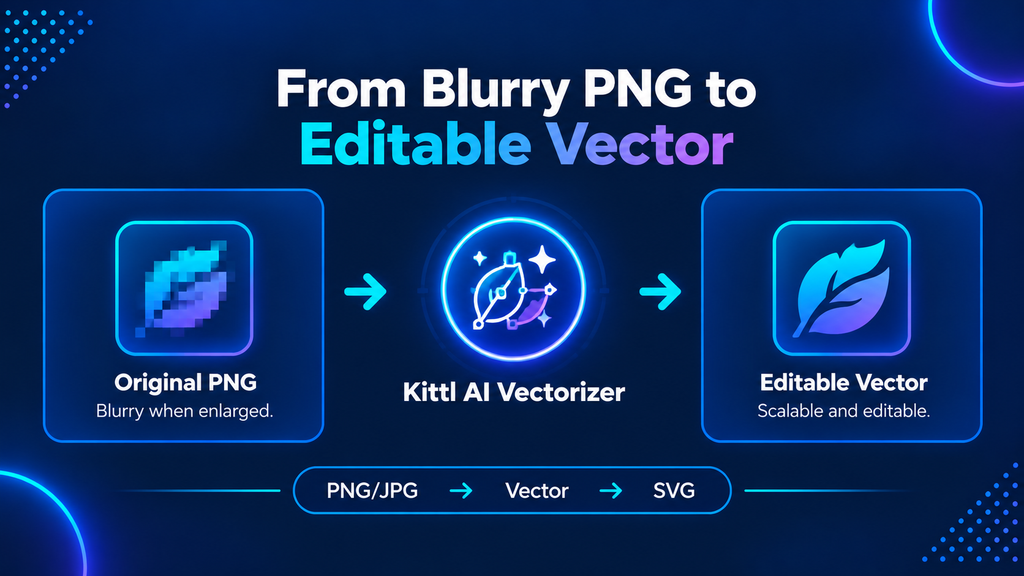
How to Vectorize an Image in Kittl
The process is straightforward:
- Upload or select your PNG or JPG image.
- Select the image inside the Kittl editor.
- Open the image’s additional options or toolbar.
- Choose Vectorize.
- Let Kittl process the image.
- Review the resulting vector artwork.
- Adjust colors or individual nodes if needed.
- Export the finished design in a suitable format.
The Vectorizer is available on Kittl’s free plan as well as its paid plans, and using it does not consume AI tokens.
That makes it one of the features worth testing before deciding whether you need a subscription.
Kittl AI Vectorizer vs AI Vector Generator
These two features can sound similar, but they solve different problems.
AI Vectorizer:
Takes an existing raster image such as a PNG or JPG and converts it into editable vector artwork.
AI Vector Generator:
Creates new vector artwork from an AI prompt.
For example, if you already have a logo sketch, the Vectorizer is the more relevant tool.
If you want to generate a new vector illustration from an idea, the AI Vector Generator is more appropriate.
This distinction is useful because someone searching for a “Kittl AI vectorizer” may actually be looking for either tool.
Who Is Kittl Best For?
Kittl isn’t necessarily the perfect choice for every designer. Its strengths make it particularly useful for certain types of users.
Print-on-Demand Sellers
Kittl can be useful for people creating T-shirts, posters, mugs, and other merchandise designs.
Its typography and illustration tools are especially relevant to designs where text and visual style are central.
Small Businesses
A small business may need social graphics, promotional designs, simple branding materials, or merchandise artwork.
Instead of using several separate tools, Kittl can provide many of these capabilities in one browser-based platform.
Freelancers
Freelancers working with clients may appreciate the combination of templates, typography, vector editing, and export options.
However, commercial licensing should always be checked against the specific Kittl plan and the type of client work being produced.
Social Media Managers
If your work involves creating regular promotional graphics, quotes, announcements, or campaign visuals, Kittl can help speed up the design process.
Typography Lovers
This is one area where Kittl has a particularly strong identity.
If your designs depend heavily on fonts, lettering, vintage aesthetics, or decorative typography, Kittl can be more appealing than a general-purpose design platform.
Kittl vs Canva: Which Is Better?
Kittl and Canva overlap in several areas, but they are not identical.
Canva is known for its large template ecosystem and broad range of everyday design tools.
Kittl places more emphasis on typography, vector graphics, illustrations, and merchandise-oriented design.
| Feature | Kittl | Canva |
|---|---|---|
| Main strength | Typography, vectors, and merchandise design | Broad visual content creation |
| AI Vectorizer | Yes | Not its primary equivalent |
| Typography controls | Strong | Strong |
| Template ecosystem | Large | Very large |
| Merchandise/POD | Strong | Good |
| Beginner-friendly | Yes | Yes |
| Best suited for | Designers, POD sellers and branding work | General business and content creation |
So, is Kittl better than Canva?
Not necessarily.
If you need a broad design platform for presentations, social posts, documents, videos, and many everyday business tasks, Canva may be the more versatile choice.
If typography, vector artwork, logos, illustrations, and merchandise are your main priorities, Kittl may be worth considering.
The better choice depends on what you actually need to create.
Kittl Pros and Cons
Pros
- AI Vectorizer is available on the free plan
- Vectorizer does not use AI tokens
- Strong typography and lettering tools
- Useful for merchandise and print-on-demand designs
- Browser-based and easy to access
- Free plan available
- Supports SVG and PDF exports on appropriate paid plans
- Commercial licensing available with eligible paid plans
Cons
- Free exports have resolution limitations
- Commercial-use rules differ by plan
- The platform may be more specialized than general-purpose design tools
- AI-generated content can require additional review and editing
- Some advanced features require a paid subscription
Frequently Asked Questions
Is Kittl free?
Yes. Kittl offers a free plan that allows users to explore the platform and create designs with certain limitations.
How much is Kittl?
Kittl’s subscription pricing can change, so check the current official pricing page before purchasing. Different plans provide different levels of AI usage, storage, export quality, and licensing.
Does Kittl have a free trial?
Kittl offers a free plan that can be used to explore the platform without immediately starting a paid subscription. This makes it possible to test the service before upgrading.
How do I cancel my Kittl subscription?
You can cancel a Kittl subscription through the account or team settings. After cancellation, paid access generally continues until the end of the current billing period.
How do I use the Kittl AI Vectorizer?
Upload or select a raster image such as a PNG or JPG, choose the Vectorize option, and allow Kittl to convert it into editable vector artwork. You can then adjust colors and nodes before exporting.
Is the Kittl AI Vectorizer free?
Yes. Kittl’s AI Vectorizer is available on the free plan and does not use AI tokens.
How do I export a design as SVG in Kittl?
SVG export is available on eligible paid plans. SVG is particularly useful when you need a scalable vector file for logos, illustrations, or certain print workflows.
How do I use Kittl?
Start with a blank project or template, add text and visual elements, customize the design, and export it in a suitable format.
Do professional designers use Kittl?
Kittl can be useful for professional designers, freelancers, marketers, and business owners, particularly when typography, vector artwork, branding, or merchandise design is involved.
Is Kittl good for logo design?
It can be. Kittl provides typography, vector, and illustration tools that can be useful for creating logos. However, professional logo work should also consider scalability, originality, brand guidelines, and appropriate licensing.
Is Kittl better than Canva?
Neither platform is universally better. Canva is broader and particularly strong for general business content, while Kittl has strong capabilities for typography, vector graphics, illustrations, and merchandise-oriented designs.
Can I download the Kittl app?
Kittl is primarily a browser-based design platform. If you’re specifically looking for a mobile application, check Kittl’s current official offerings because app availability can change.
Kittl Discounts and Deals
If you’re interested in Kittl but don’t want to pay full price, it can be worth checking for promotions before subscribing.
Design platforms sometimes offer special pricing during promotional periods or seasonal campaigns.
However, don’t choose a plan simply because a discount looks attractive. First consider how often you’ll use Kittl, whether you need commercial licensing, and whether you actually need features such as high-resolution or vector exports.
Is Kittl Worth Using in 2026?
Kittl is worth considering if your design work revolves around typography, vector graphics, illustrations, branding, or merchandise.
Its free plan makes it relatively easy to test the platform without immediately paying for a subscription. The AI Vectorizer is particularly interesting because it is available even on the free plan and doesn’t consume AI tokens.
For example, someone with a small business logo in PNG format can use the Vectorizer to turn that existing artwork into editable vector graphics instead of starting the artwork from scratch.
The paid plans become more useful when you need high-resolution exports, SVG/PDF files, larger storage, more AI usage, unlimited projects, or commercial licensing.
However, Kittl isn’t automatically a replacement for every design platform. Canva may still be a better fit if you need a broader collection of business, presentation, social media, video, and document tools.
Final Verdict
Kittl is a strong option for users who want more control over typography, vector graphics, and merchandise-focused designs.
The free plan is a good starting point, while the paid plans make more sense for users producing commercial work or needing professional export options.
If you’re unsure, the simplest approach is to start with the free plan, test the editor and Vectorizer, and then decide whether the additional features justify upgrading.
Ready to try Kittl? Start Free →