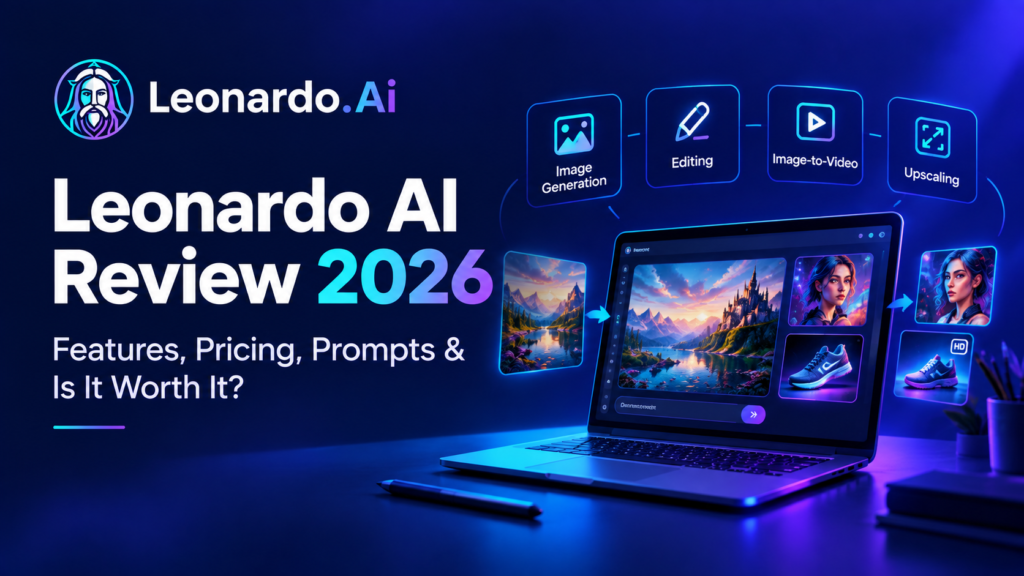
Creating good-looking visuals no longer requires advanced Photoshop skills or years of design experience. Leonardo AI gives creators a way to generate images, edit existing visuals, create short videos, and upscale images from one platform.
But having lots of AI features does not automatically make a tool useful. The real question is whether Leonardo AI gives you enough control to create something you can actually use.
In this Leonardo AI review, we’ll look at its main features, image and video workflows, prompt tips, current pricing, pros and cons, alternatives, and who the platform makes the most sense for in 2026.
What Is Leonardo AI?
Leonardo AI is a generative AI platform for creating and editing visual content. You can describe an image in a text prompt, start with an existing image, or use one of its creative workflows to develop a visual from an initial idea.
The platform goes beyond basic text-to-image generation. Depending on your workflow and plan, you can use image generation, image guidance, editing, video generation, upscaling, presets, and personal AI models.
That makes Leonardo AI useful for more than creating a single picture. You can generate several concepts, refine one, make variations, animate a visual, and prepare it for use on websites, social media, presentations, or marketing materials.
What Can You Create With Leonardo AI?
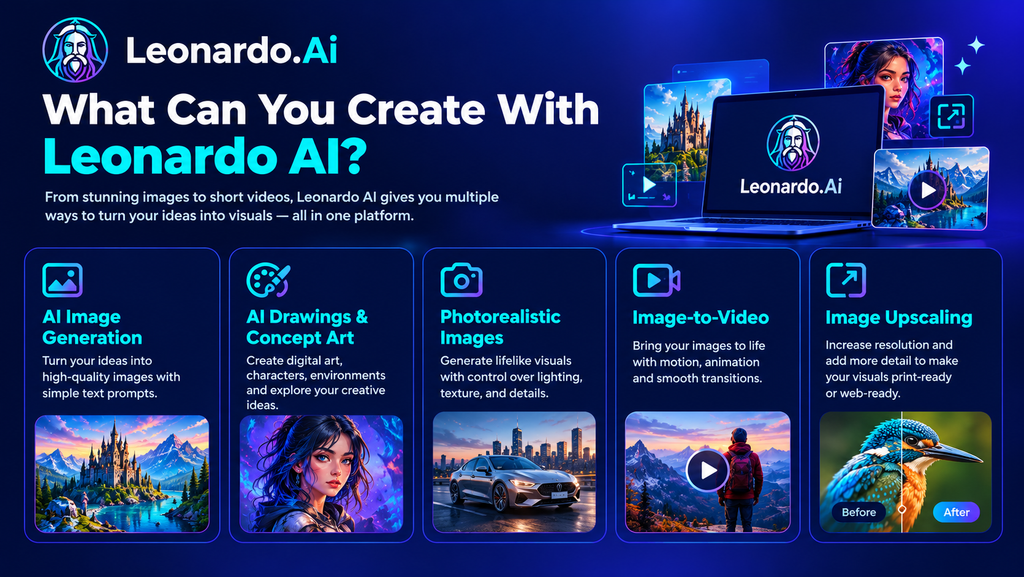
AI Image Generation
The simplest use is text-to-image generation. Describe the subject, setting, composition, lighting, and visual style, and Leonardo AI turns the description into an image.
You can use it for everything from marketing graphics and product concepts to illustrations, portraits, landscapes, and social media visuals.
AI Drawings and Concept Art
Leonardo AI is also useful for digital art and concept development. You can explore characters, environments, fantasy scenes, game assets, and other ideas before deciding which direction to develop further.
Photorealistic Images
For realistic images, specific details matter. Describing lighting, camera framing, materials, skin texture, reflections, and the surrounding environment usually gives you more control than simply adding words such as “ultra realistic.”
Image-to-Video
Leonardo AI can turn an image into a short video by using the existing visual as the starting point and a prompt to describe the movement.
This can be useful for social content, product demonstrations, simple animations, and short cinematic scenes.
Image Upscaling
The platform also includes image upscaling, which can help when an image looks good but needs more usable resolution for a website, presentation, advertising material, or other project.
How Does Leonardo AI Work?
Leonardo AI is easier to understand as a visual creation workflow rather than a single image generator.
You can start with a written idea or an existing image and then gradually refine the result.
Text-to-Image
A useful prompt normally covers five basic elements:
Subject + Context + Composition + Lighting + Style
For example:
Photorealistic portrait of a young woman in a beige coat outside a modern European café, early morning, soft window reflections, natural skin texture, shallow depth of field, editorial photography.
The goal isn’t to make every prompt extremely long. It is to give the model enough information to understand what you actually want.
Image-to-Image
With image-to-image workflows, an existing visual becomes the starting point. This is useful when you already have the composition or general idea but want to change the artistic direction.
For example, you could take a rough concept and turn it into a polished illustration.
Editing and Image Guidance
Instead of regenerating everything, editing tools allow you to work on particular parts of an image. This can be helpful when most of the image looks right, and only one element needs to change.
Image-to-Video
For video generation, keep the prompt focused on movement rather than describing the entire image again.
For example:
Slow camera push-in as rain falls naturally, with subtle movement in the character’s coat and stable cinematic composition.
Simple movement is often easier to control than several complicated actions happening at once.
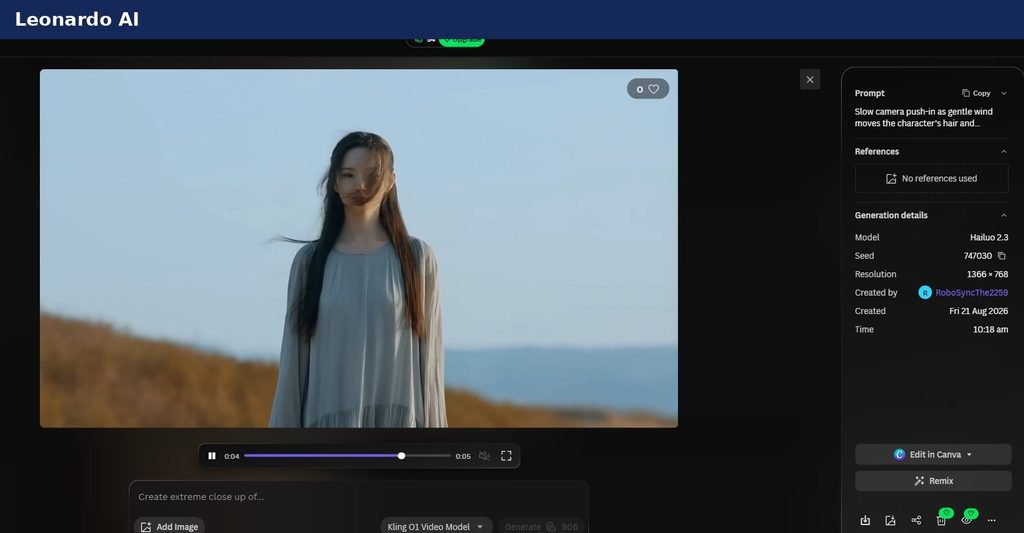
I also tested Leonardo AI’s image-to-video feature by turning a realistic image into a short video. The result was good overall, and I liked seeing a still image come to life. However, I encountered a usage limit when I tried to generate a higher-quality video. This is worth keeping in mind if you plan to create multiple videos or experiment with higher resolutions.
How to Create an AI Image With Leonardo AI
The basic workflow is straightforward:
- Open Leonardo AI and choose an image-generation workflow.
- Decide whether you’re starting from text or an existing image.
- Write a prompt describing the subject and visual direction.
- Choose a suitable model or preset.
- Generate several variations.
- Refine the strongest result instead of starting from scratch every time.
The exact controls available can vary depending on the model and plan, so beginners do not need to learn every advanced setting before creating their first image.
How to Write Better Leonardo AI Prompts
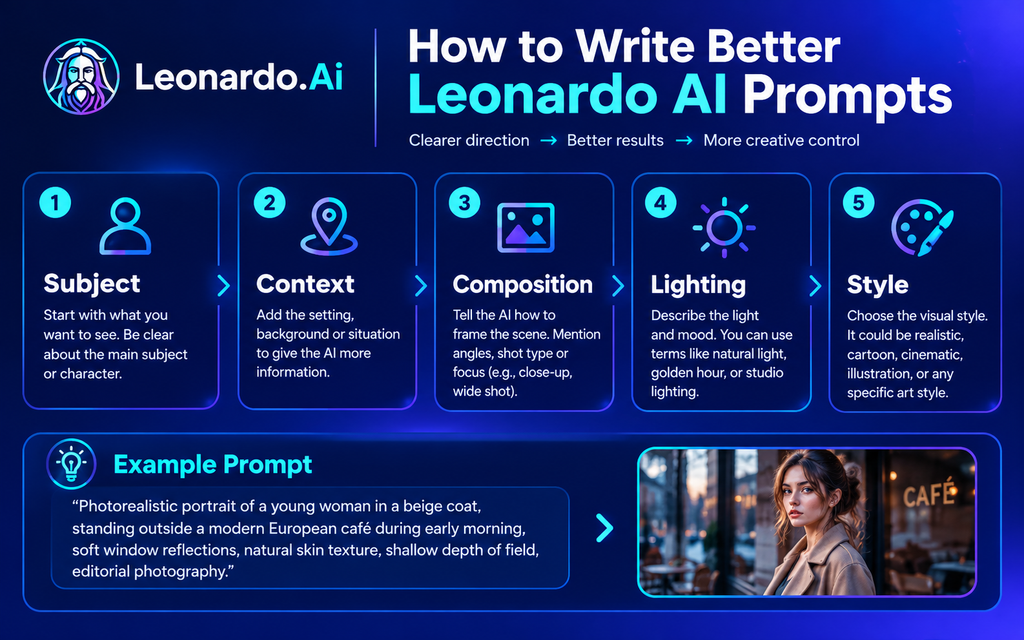
Good results usually come from clear direction rather than simply adding more words.
Use Specific Descriptions
Instead of:
Beautiful woman
try:
Editorial portrait of a young woman wearing a beige coat, standing outside a modern café, soft morning light, natural skin texture, medium shot.
The second prompt gives the model more information about the subject, setting, lighting, and composition.
Use Camera and Lighting Terms
Terms such as close-up, medium shot, wide shot, shallow depth of field, golden-hour lighting, studio lighting, and rim lighting can help define the visual direction.
You do not need to use all of them. Choose the ones that fit the image you are trying to create.
Try Negative Prompts When Needed
If the image repeatedly contains unwanted details, negative prompting can help.
For example:
distorted hands, extra fingers, duplicated objects, warped anatomy, blurry details
Avoid Contradictory Instructions
A prompt that asks for several unrelated styles at once can make the result less consistent. It is usually better to choose one clear visual direction and refine it.
How to Create More Realistic Leonardo AI Images
Photorealism is not simply about adding the word “realistic.”
Think about the things that make a real photograph believable: lighting, shadows, reflections, materials, depth, skin texture, and small imperfections.
For example, instead of asking for “perfect skin,” describe natural skin texture, subtle freckles, realistic eye reflections, and soft natural lighting.
The same approach works for products and environments. Describe the material, surface, camera angle, background, reflections, and shadows.
Leonardo AI for Art, Characters and Design
Leonardo AI can also be useful when the goal isn’t realism.
You can create:
- Digital paintings
- Anime characters
- Fantasy scenes
- Sci-fi environments
- Game concepts
- Character designs
- Product concepts
- Social media visuals
For character work, consistency becomes especially important. Leonardo AI supports character-reference and related workflows that can help maintain visual details across a series of images.
That can be useful for comics, campaigns, storytelling, and projects where the same character needs to appear repeatedly.
How I Tested Leonardo AI
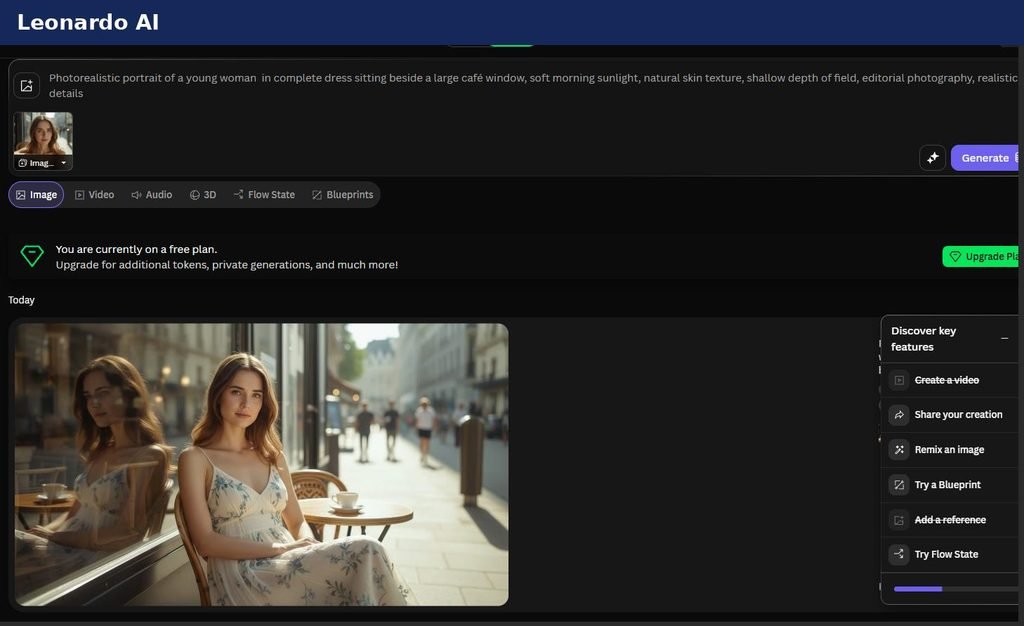
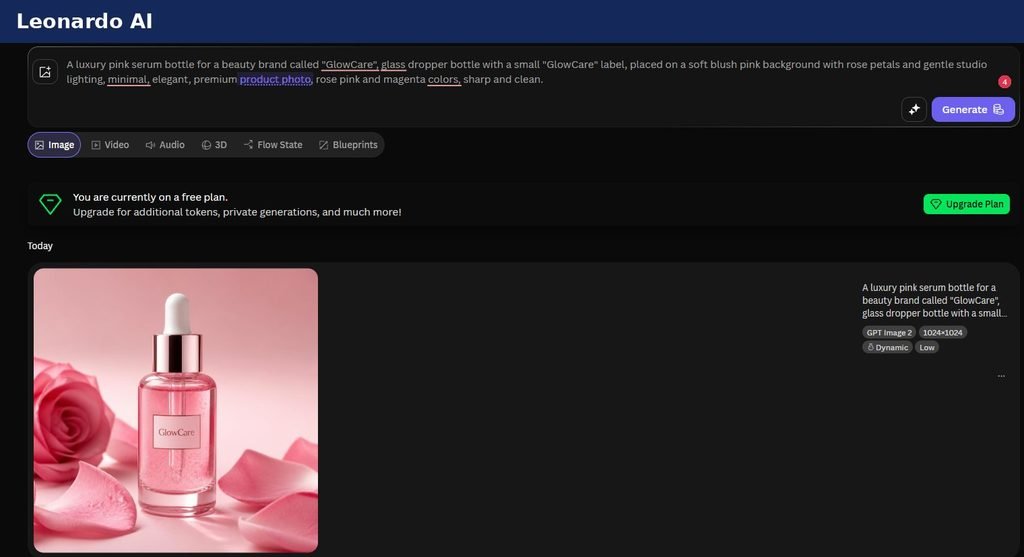
I tested Leonardo AI using its free plan to explore its image-generation and image-to-video capabilities. I tried creating realistic images, generating visuals for my GlowCare beauty and wellness website project, and turning images into videos.
During image generation, I found that many results matched my prompts and expectations, although some images needed a different prompt to get closer to the look I wanted. I also tested image-to-video generation and found the results good overall. However, when I tried generating a video at a higher quality, I encountered a usage limit.
This was a hands-on test using the free plan, not a comprehensive comparison of every Leonardo AI model or paid subscription. Your results and available features may differ depending on the model, settings, and plan you use.
Leonardo AI Pricing in 2026
Leonardo AI currently has a Free plan as well as paid Essential, Premium, and Ultimate plans. The current monthly prices listed by Leonardo are:
| Free | $0 |
| Essential | $12/month |
| Premium | $30/month |
| Ultimate | $60/month |
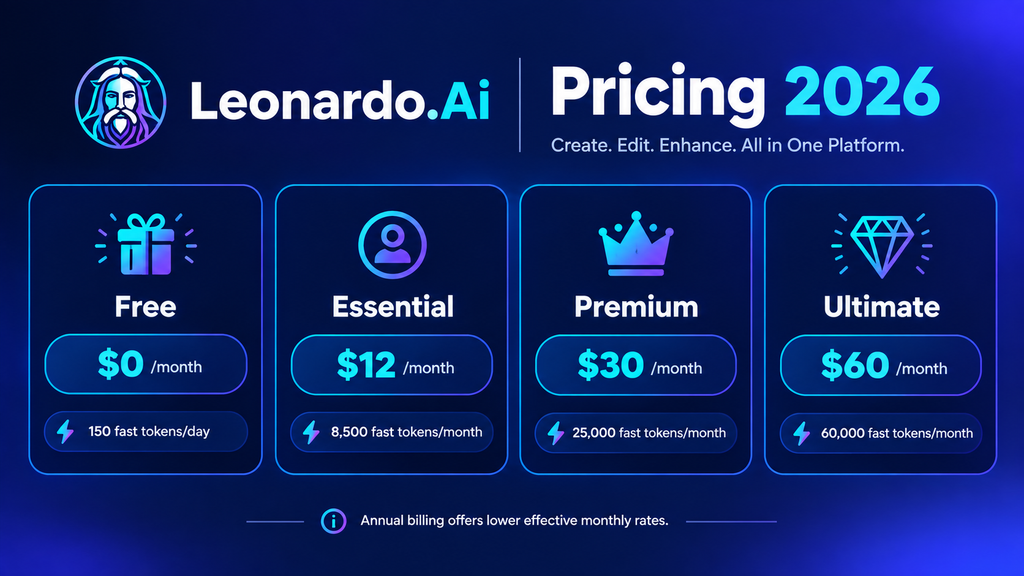
Annual billing offers lower effective monthly prices. The Free plan includes 150 fast tokens per day, while paid plans offer larger monthly token allowances and additional features, such as private generations, enhanced quality settings, personal AI model training, and higher generation limits. Available features and limits vary by plan, so check the official Leonardo AI pricing page for the latest details.
Because Leonardo changes plans and features from time to time, check the official pricing page before subscribing.
Want to try Leonardo AI for your own creative projects? Explore its available tools and plans to see whether they fit your needs. If you’re just getting started, check the free option first. If you plan to use it regularly, compare the paid plans before deciding whether an upgrade is worth it.
Who Is Leonardo AI Best For?
Leonardo AI can make sense for several types of users.
Content creators and marketers can use it for social media graphics, campaign visuals, and product imagery.
Designers and artists can use it for brainstorming, concept development, illustrations, and visual experimentation.
Game and concept artists can quickly explore characters, environments, and assets.
Students can use the free tier to experiment with visual projects and presentations.
Small businesses can use AI-generated visuals for early marketing concepts and other creative work without starting every project from a traditional photoshoot or design workflow.
Leonardo AI vs. Other AI Image Tools
Leonardo AI is not designed around only one type of image generation. Its appeal is the combination of generation, editing, image guidance, video, and upscaling in one creative environment.
Midjourney is well known for artistic image generation, while Leonardo AI puts more emphasis on having several visual workflows together.
Stable Diffusion is attractive to users who want deeper customization and open-model flexibility.
Adobe Firefly makes more sense for people already working heavily inside the Adobe ecosystem.
The right choice depends on whether you value artistic style, control, editing, workflow convenience, or integration with other tools.
If you’re deciding between these two platforms, read our detailed comparison of Leonardo AI vs Midjourney to understand how their features and creative workflows differ.
Still exploring your options? Read our guide to the best Leonardo AI alternatives to compare other AI image tools and find one that better fits your creative needs.
Leonardo AI Pros and Cons
Pros
- Image generation, editing, video, and upscaling in one platform
- Free plan available
- Multiple models and creative workflows
- Useful tools for character consistency
- Strong range of realistic and artistic styles
- Suitable for beginners as well as more advanced creators
Cons
- Free usage is limited.
- Advanced features can take time to learn.
- Better results still require good prompting.
- Heavy projects can consume tokens quickly.
- Features and pricing can change over time.
My Experience Using Leonardo AI for Website Images and Videos
I tested Leonardo AI while working on visuals for my GlowCare beauty and wellness website project. I wanted images that matched the website’s soft pink aesthetic and looked suitable for a beauty-focused brand.
The results were encouraging. Leonardo AI helped me create visuals that matched my prompts in many cases, although some generations did not turn out exactly as I had expected. I found that adjusting the prompt and being more specific about the details could help me get closer to the result I wanted.
I also explored image-to-video generation. The results were good overall, but when I tried to generate a video at a higher quality, I encountered a usage limit. This is worth keeping in mind if you plan to create several videos or experiment with higher-quality outputs.
Overall, my experience showed me that AI-generated visuals can be useful for website projects, product concepts, and creative experiments. However, you should review each result carefully and check the available features and usage limits on your plan before relying on the tool for regular production work.
Frequently Asked Questions
Is Leonardo AI good for beginners?
Yes. Beginners can start with simple prompts and gradually explore more advanced generation, editing, video, and upscaling features.
Can Leonardo AI create photorealistic images?
Yes. Leonardo AI provides models, presets, and controls designed for realistic visual generation.
Can Leonardo AI turn an image into a video?
Yes. Leonardo AI supports image-to-video workflows that can turn a still image into a short video. I tested this feature myself and was happy with the overall result. However, I encountered a usage limit when trying to generate a higher-quality video, so available options may depend on your account, model, and plan.
Is Leonardo AI free?
Yes. Leonardo AI has a Free plan with a daily token allowance. Paid plans provide higher limits and additional features.
How much does Leonardo AI cost?
The current individual monthly plans are Free, Essential at $12, Premium at $30, and Ultimate at $60. Annual billing has lower effective monthly prices.
Can I use Leonardo AI images commercially?
Leonardo AI states that generated images can be used for commercial purposes, but you should review its current Terms of Service and the rules that apply to your account and content. Also consider whether your generations are public or private, as visibility can affect how your content may be used by others. See Leonardo AI’s official commercial usage guidance before using generated images in a business project.
Is Leonardo AI better than Midjourney?
They serve somewhat different workflows. Midjourney is strongly associated with artistic image generation, while Leonardo AI combines generation with editing, video, image guidance, and upscaling. Your choice depends on the workflow you need.
What is Leonardo AI used for?
It can be used for AI image generation, concept art, character design, marketing visuals, product imagery, video generation, and image enhancement.
Final Verdict: Is Leonardo AI Worth Using in 2026?
Leonardo AI is more than a basic text-to-image generator. Its biggest advantage is the ability to move from idea to image, editing, refinement, animation, and upscaling within the same creative platform.
After trying Leonardo AI for my own creative projects, I found it useful for generating website visuals and experimenting with realistic images. Most of the images matched my prompts well, although a few needed more refinement than I expected. I also explored its image-to-video workflow and found it interesting to see a still image come to life. Based on my experience, Leonardo AI is worth exploring if you need a flexible tool for creative visuals, but the best choice depends on your requirements, usage limits, and budget.
It is especially useful if you want more control than a simple image generator provides but don’t want to build a complicated technical workflow yourself.
The biggest thing to remember is that better AI images usually come from better direction, not simply longer prompts. Start with the subject, add context, define the composition, control the lighting, choose a clear style, and refine the result.
For beginners, marketers, designers, and creators who need a flexible visual AI tool, Leonardo AI is worth exploring—especially because the Free plan lets you try the platform before paying.